3.2. Login Alternatives
The appearance of the Login dialog on a device depends on the following settings:
The globally activated Login Methods. See User Authentication.
The Terminal settings for the device. See Custom User Login.
The
loginURL parameter with the preferred login method. See URL Cheat Sheet.Active OAuth Client Plug-ins.
Terminal settings overrule global settings, and the URL parameter overrules the defined default. When available, alternative login methods can be selected by tapping the method button at the bottom of the dialog. Some sample Login dialogs are shown below.
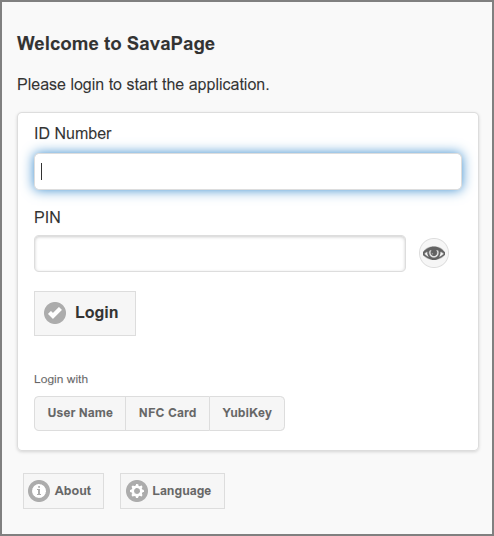
Web App: Login Dialog - ID Number
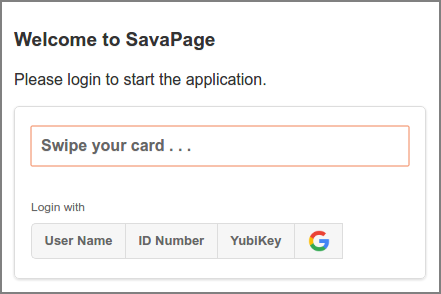
Web App: Login Dialog - Local NFC Card
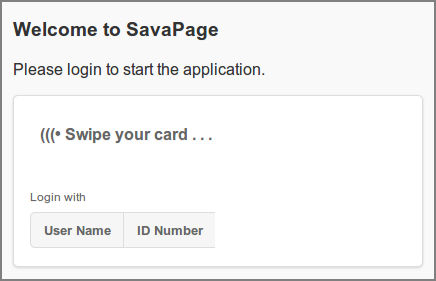
Web App: Login Dialog - Network NFC Card
Tip
A special URL path is available to use OAuth as SSO for User Web App. This URL can be presented on the site of an OAuth provider, to seamlessly link to SavaPage. See URL Cheat Sheet.