3.7. Delete
A tap on the Delete button in the main SafePages view shows the Delete dialog. See SafePages.
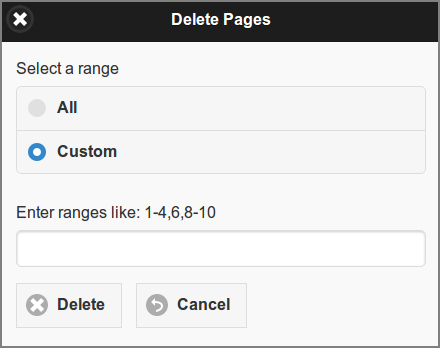
User Web App: Delete SafePages
Select a range of SafePages to delete. Press the All button to select all pages. Or, push the Custom button to enter a custom range of SafePages: the value can be a single page, a range of pages, or a collection of page numbers and ranges separated by commas.
Tap the Delete button to perform the delete action.
Caution
After SafePages are deleted any Fast Print will fail and all SafePages will be cleared as a result. Please use a Hold Print instead.
Tip
You can delete all SafePages of a SavaPage print job in the Document Details dialog, as described in Delete and Undo.