5.3. Closed Tickets
5.3.1. Closed Ticket List
The Closed Ticket List is identical to the Documents List with an implicit selection of Type Ticket. Here you can query Job Tickets that were closed by the Job Ticket Operator, optionally by User ID of the Job Ticket Creator.
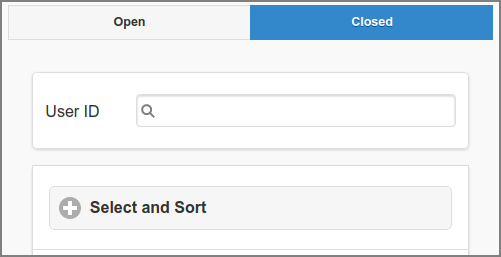
Job Tickets: Closed Ticket List
5.3.2. Job Ticket Refund
In case the print completed but costs were incorrectly charged, they can be refunded by pressing the refund button. The button is disabled as long as the Job Ticket is Open (the ✔ Close button is not pressed yet).
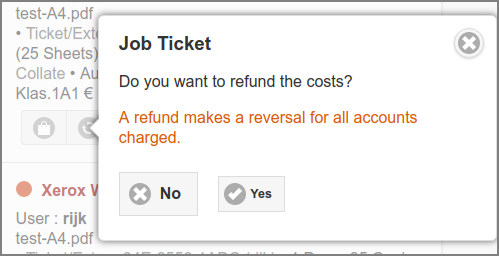
Job Ticket: Refund
Refunds are shown in the document transaction details (see screenshot below), and in the transaction list of the Personal, Group and Shared Accounts involved. See Transactions and Account List.
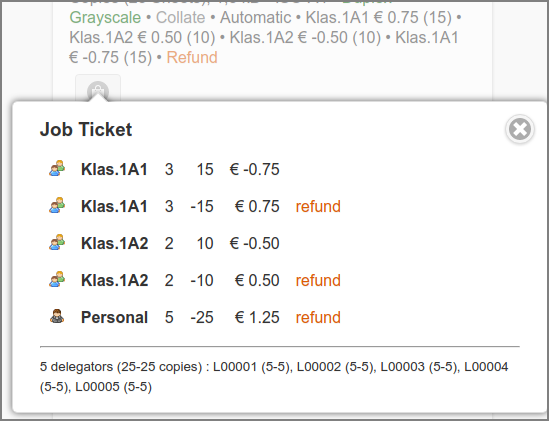
Job Ticket: Refund Transactions
Note
When both PaperCut Integration and Delegated Print with PaperCut are enabled, and the Job Ticket was printed to a PaperCut managed printer, refund transactions will also be created in PaperCut. See PaperCut Delegated Print Accounting.
5.3.3. Job Ticket Reversal
In case the print was Canceled or Aborted a reverse button is available to adapt counters and refund accounts charged. The button is disabled as long as the Job Ticket is Open (its ✔ Close button is not pressed yet). This is identical to the option shown in the Admin Web App: see Proxy Print Reversal.
5.3.4. Job Ticket Reopen
If webapp.jobtickets.reopen.enable
is set to Y, a closed single account job ticket that is archived or
journalled in the Document
Store can be
reopened. This option is active in the Job Ticket Web App only.
A reopened ticket has the same ticket number as the original with a
+character appended.Just the number of copies (initialized to zero) of the reopened ticket can (must) be edited: other IPP options are read-only.
A Print or Settle of a reopened ticket is not archived or journalled.
The calculation of the delivery date/time is according to jobticket.delivery-* configuration properties.
A refunded Ticket can’t be reopened.
The reopened ticket is tied to the Job Ticket Printer of the closed ticket. So, this printer must still be present.
The reopen option is offered with a + button in the document log item, as shown in the screenshot below.
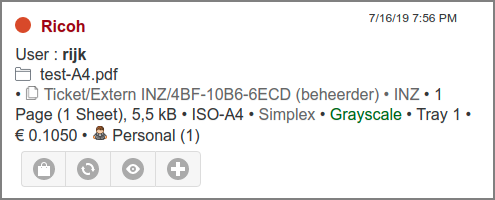
Job Ticket: Reopen Print Ticket
When the + button is pushed, the ticket is reopened and the button disabled to prevent reopening a second copy. Copy Jobs can be reopened as well, as shown below.
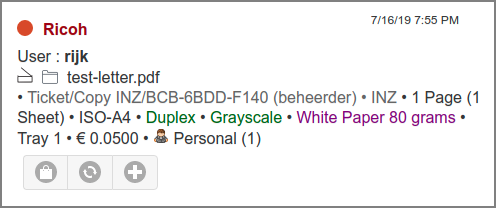
Job Ticket: Reopen Copy Ticket
The reopened ticket will show up in the Open Tickets list with zero copies, and thereby the Print and Settle options will be disabled, as shown in screenshot below.
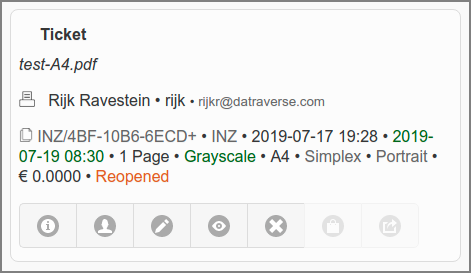
Job Ticket: Reopened Print Ticket
After the reopened ticket is printed and closed it appears in the Closed Tickets list marked as “Reopened”. Note that this instance isn’t archived or journalled, and therefore can’t be reopened.
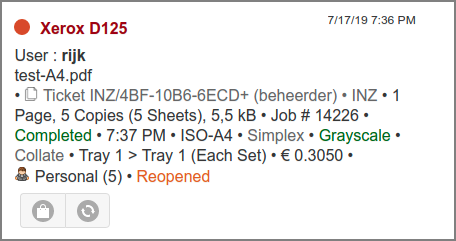
Job Ticket: Reopened Ticket Printed