8.2. Payment Page
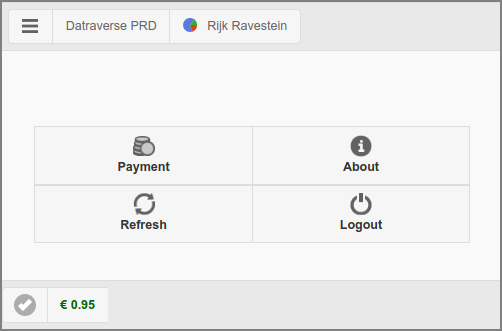
Payment Web App: Main Page
The main page is restricted to just a Payment button with a selection of generic options as present in the User Web App. The button opens the Payment dialog.
A Help button that opens a custom URL in a new tab is shown instead
of the About button, if the URL is set with configuration property
webapp.payment.help.url and enabled with webapp.payment.help.url.enable
default value Y (disable with value N).
By default, button text on mobile devices only: on desktops a hover text
is shown. You can change this behavior by setting configuration property
webapp.payment.main.nav-button-text to value ON (button text is
always shown), OFF (button text is never shown) or AUTO (button
text is shown on mobile devices only).
See Config Editor on how to change configuration properties.
If PaperCut Personal User Account is enabled, the account balance in the footer is prefixed with the PaperCut icon.
8.2.1. Payment Dialog
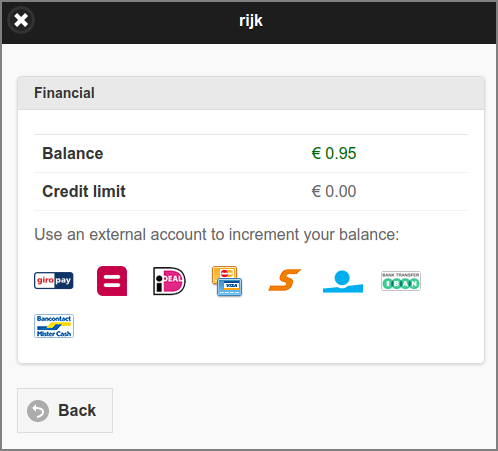
Payment Web App: Payment
This dialog is a restricted version of Financial. Just the external accounts to increment user balance are shown. If PaperCut Personal User Account is enabled, the Balance label is prefixed with the PaperCut icon and Credit limit is not shown.