14.5. User Source Solutions
With the absence of a common User Source, SavaPage can act as Sync Source in PaperCut. Conversely, PaperCut can act as User Source for SavaPage.
However, since PaperCut does not provide an API for User Authentication, in this case an extra shared Authentication Service is required.
14.5.1. SavaPage as Sync Source in PaperCut
With the absence of a common User Source, SavaPage can provide User Sync and Authentication Services for PaperCut. In this way Internal Users can be synchronized to and authenticated in PaperCut.
The interface is implemented as HTTP Basic Auth service. This interface
can easily be used in Python or Linux curl scripts.
Sample scripts for use in PaperCut Custom Sync
are available in /opt/savapage/server/examples/papercut/
Note
Rate Limiting is applied to unauthorized access.
Configuration property |
Description |
|---|---|
ext.papercut.user.sync.enable |
Set to |
ext.papercut.user.sync.username |
Basic HTTP Authentication User name. |
ext.papercut.user.sync.password |
Basic HTTP Authentication password. |
ext.papercut.user.sync.ip-addresses-allowed |
The allowed client IP addresses as a
CIDR Set. |
See Config Editor on how to set these properties.
14.5.2. PaperCut as User Source in SavaPage
PaperCut can be set as User Source
in SavaPage by setting configuration property custom.user-sync.papercut to Y.
There are three extra settings needed to make this work:
PaperCut Integration must be enabled, because a connection to the PaperCut Server (XML-RPC API) is needed to select the users that were synchronized by PaperCut from their User Source.
Because User Authentication is not part of the PaperCut API, authentication must be configured as OAuth Client Plug-in that connects to the same User Source configured in PaperCut.
User Source must be disabled by selecting the - option. This will show PaperCut as User Source.
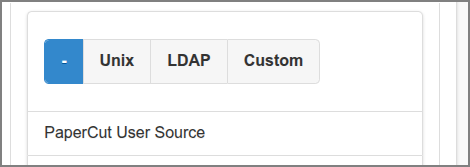
Admin Web App: Options - PaperCut User Source
Configuration property |
Description |
|---|---|
custom.user-sync.papercut |
Set to |
custom.user-sync.papercut.user-card-number.first-byte |
NFC Card Number First Byte: |
custom.user-sync.papercut.user-card-number.format |
NFC Card Number Format: |
See Config Editor on how to set these properties.