7.4. Receipts
The Receipts tab is the place to query deposit history.
Note
The Receipts tab is shown if the Deposit tab is enabled.
The figure below shows a content sample.
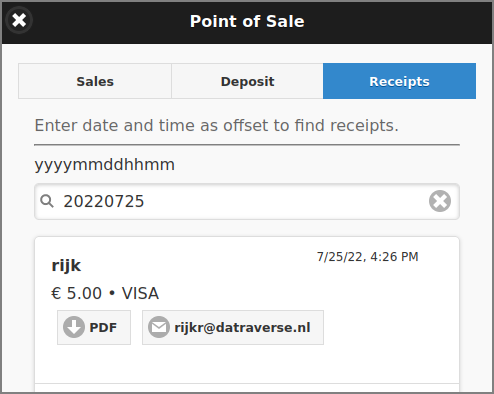
Point-of-Sale: Receipts
By entering a date/time offset in the prescribed yyyymmddhhmm format, a pick-list of matching receipts is displayed, sorted in descending date/time order. The list is refreshed real-time as characters are entered (or deleted). Note: the date/time defaults to the current yyyymmdd date (today).
Each entry in the list has buttons to download the Receipt PDF or email it to the User (again).